LedgerPro guide · Prairie Peak example
GST/HST return lines 101–115, explained with an example
This is the flagship guide: Prairie Peak’s real Q3 2026 figures, computed from its posted journals. Read each line the way CRA does — sales, GST/HST collected, input tax credits, and net tax — then see the workpaper behind the return.
Set the period, then compute
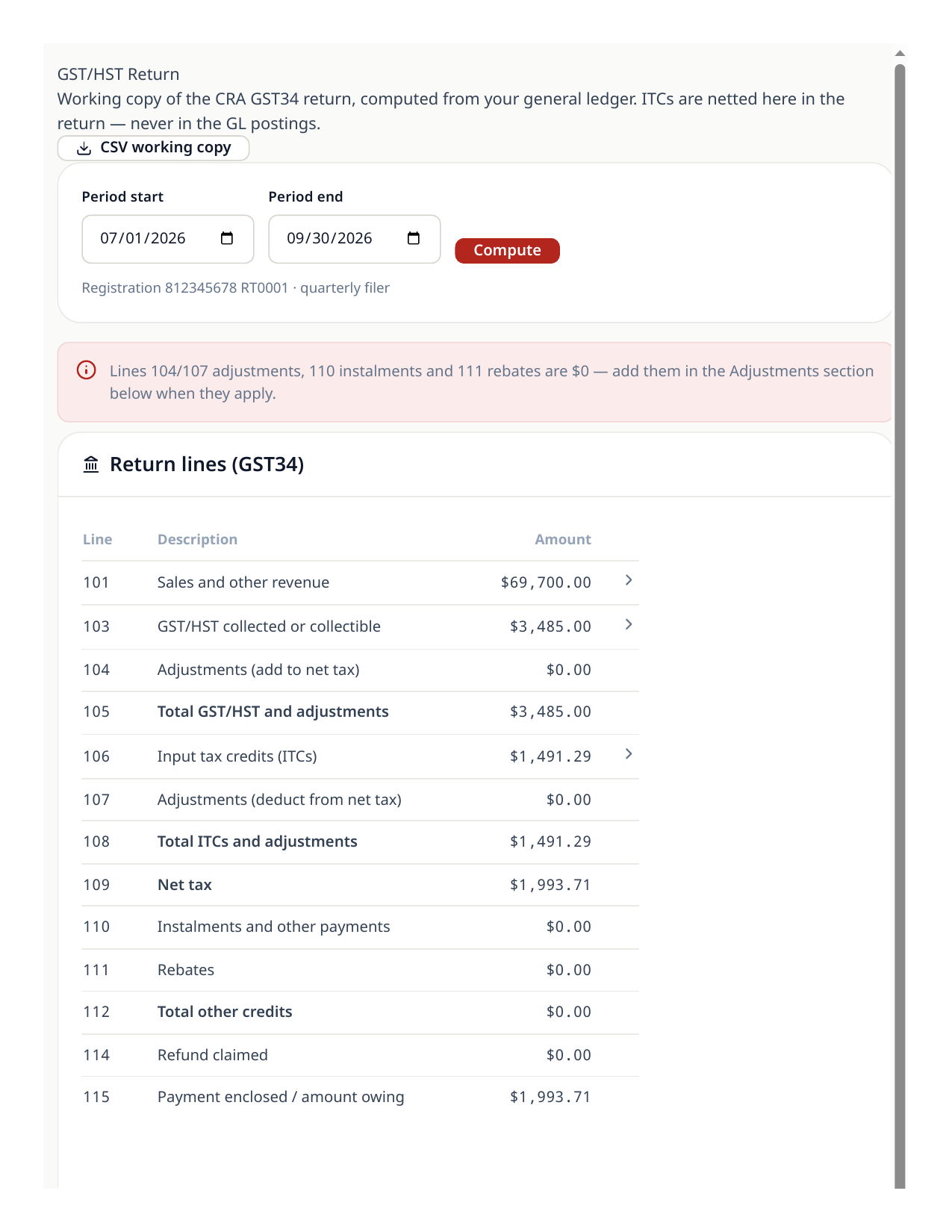
The return is computed from posted journal entries — nothing is typed in. Prairie Peak files quarterly, so this walkthrough uses July 1 to September 30, 2026. Choose the period that matches your CRA filing period and choose Compute.
- 1Open Reports and choose GST/HST Return.
- 2Set the period start and end to your filing period (Q3 2026 here) and choose Compute.
- 3Confirm the header shows your registration number and filing frequency — Prairie Peak shows 812345678 RT0001, quarterly filer.
Read the return the way CRA does
Good to know
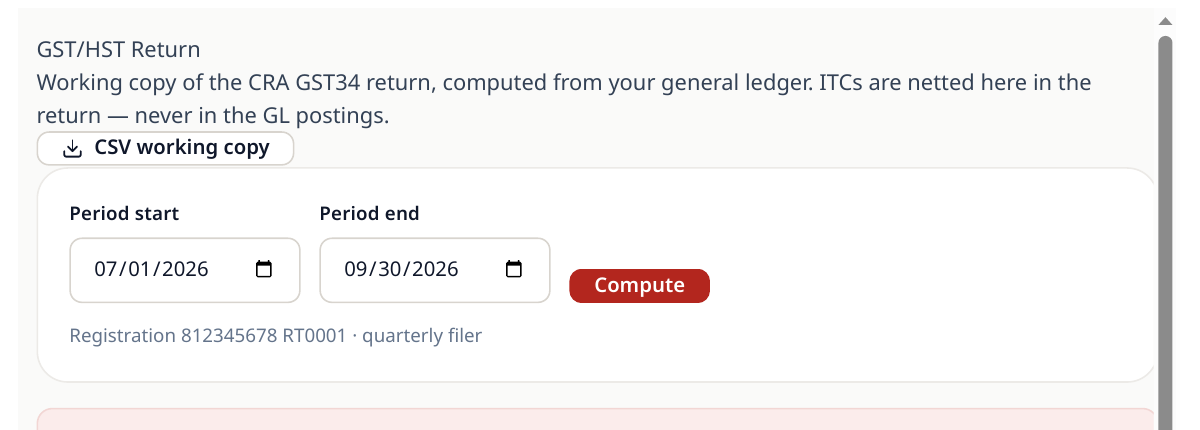
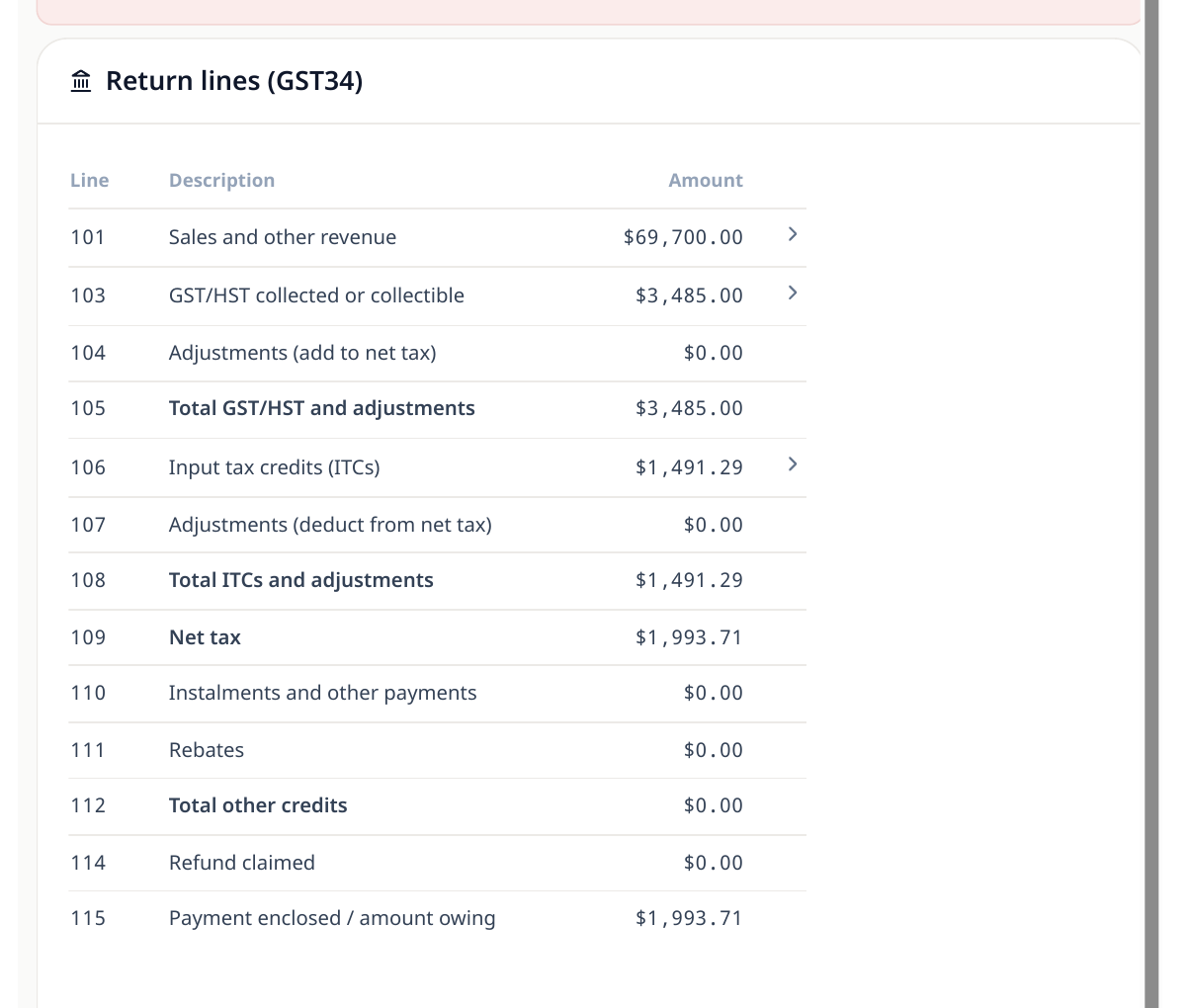
- Line 101 — Sales and other revenue: $69,700.00. Every revenue line posted in the period, before tax.
- Line 103 — GST/HST collected or collectible: $3,485.00. The GST charged on those sales.
- Line 105 — Total GST/HST and adjustments: $3,485.00 (line 103 plus any adjustments on line 104 — Prairie Peak had none).
- Line 106 — Input tax credits: $1,491.29. The GST Prairie Peak paid on materials, fuel, rent, and the rest of its purchases.
- Line 108 — Total ITCs and adjustments: $1,491.29.
- Line 109 — Net tax: $1,993.71. Line 105 minus line 108.
- Line 115 — Amount owing: $1,993.71. A positive net tax is a payment to make; a negative one lands on line 114 as a refund claim.
Where the numbers come from — and the workpapers
Two GL accounts carry the whole return: GST collected (2300) ends the quarter at $3,485.00 credit, and GST input tax credits (2310) at $1,491.29 debit. If a line ever surprises you, those balances — and the journal lines under them — are the audit trail. The tax workpapers package the same figures with the supporting detail your accountant (or a CRA review) will ask for.
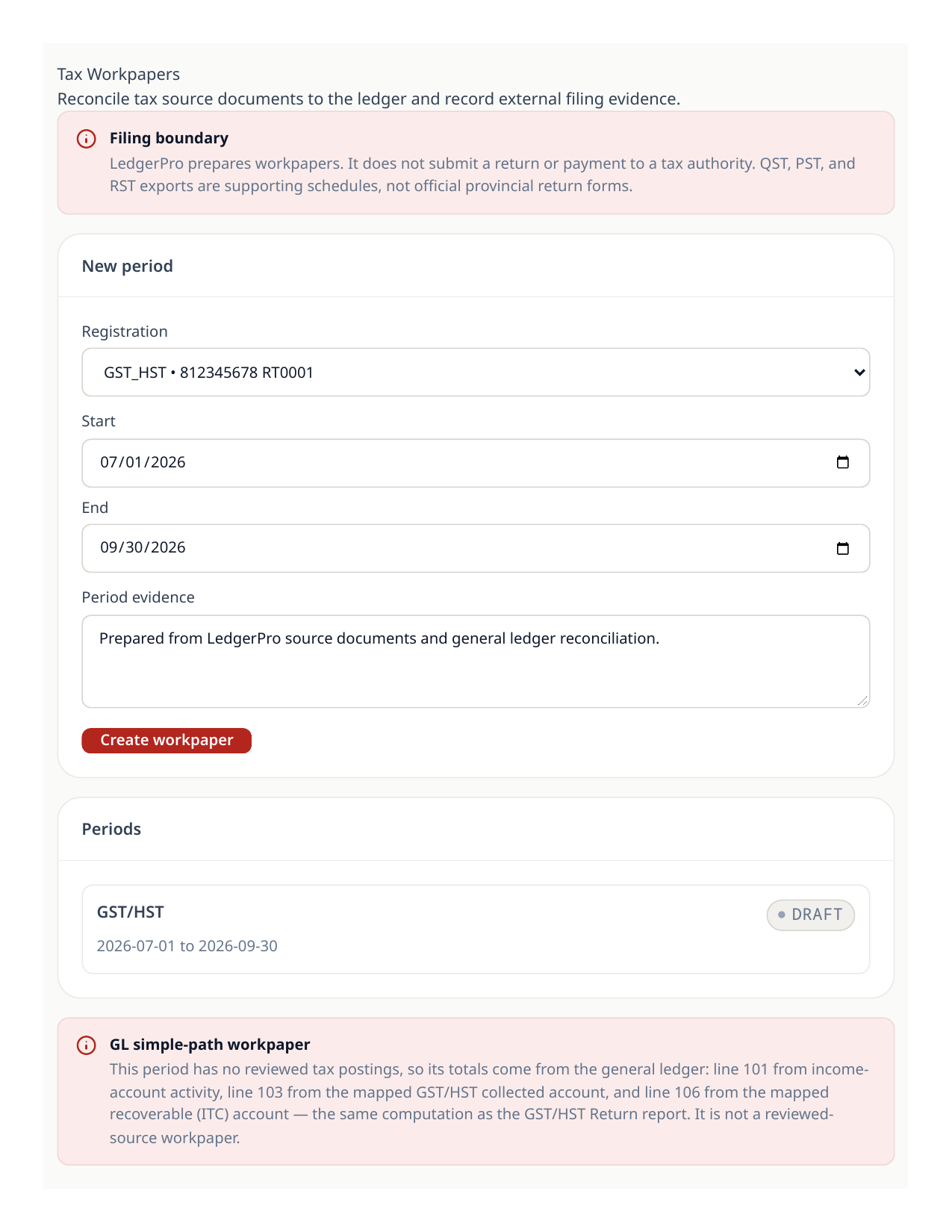
- 1Open the tax workpapers for the same period and compare the totals to the return — they must agree.
- 2Drill into any figure that differs from your expectation at the journal-line level before you file.
- 3File with CRA through your usual channel, then record the filing in LedgerPro so the period is locked with its lock date.
Good to know
- LedgerPro prepares and records the return; the actual CRA filing and payment remain external steps.
Try the workflow
Put your own books through the same steps
Start a LedgerPro trial, or open this workflow in your existing company. The guide stays available as a public reference either way.