LedgerPro guide · Prairie Peak example
How to categorize and post bank transactions
An imported bank row is only a suggestion until it is categorized and posted. Follow the exact moment a row becomes accounting — including the GST/HST split and the journal behind it.
Work the to-review list
An imported row is not in your books yet — it is a suggestion waiting for a decision. Posting is the moment it becomes accounting: LedgerPro creates a journal entry, marks the row reconciled, and the amount starts counting in reports and in the GST return.
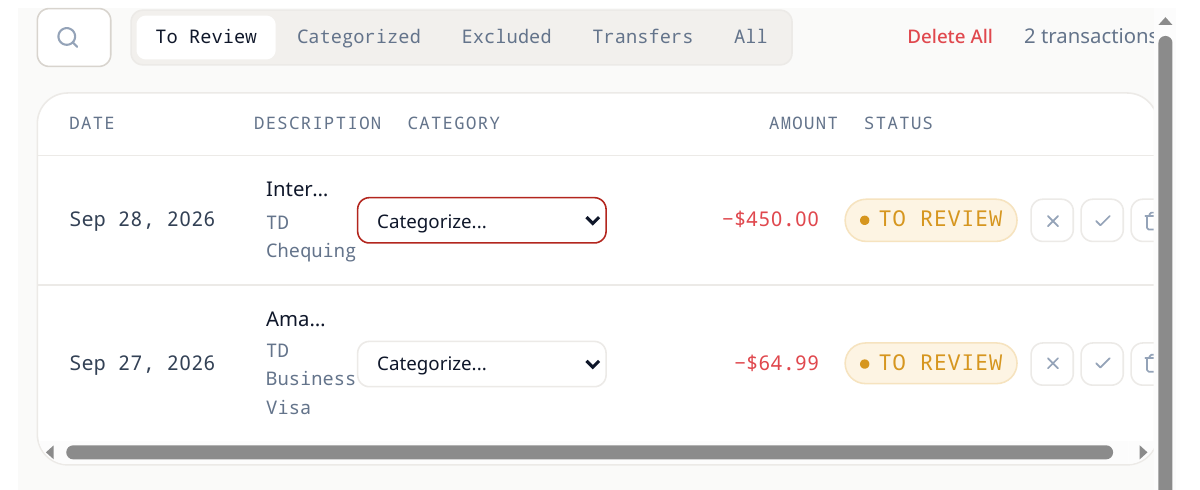
- 1Open Banking and select the account. Rows that still need a decision are marked to review.
- 2For each row, pick the category in the row’s Categorize dropdown. Prairie Peak’s Visa rows split into materials (5010), fuel (6550), and job supplies (5030). The row moves to the Categorized tab.
- 3The category carries the tax treatment: on a GST-taxable purchase the posting splits the GST out as an input tax credit — it is never buried in the cost.
- 4When the batch looks right, choose Post to GL. Each categorized row becomes a journal entry and the row flips to reconciled.
What posting creates
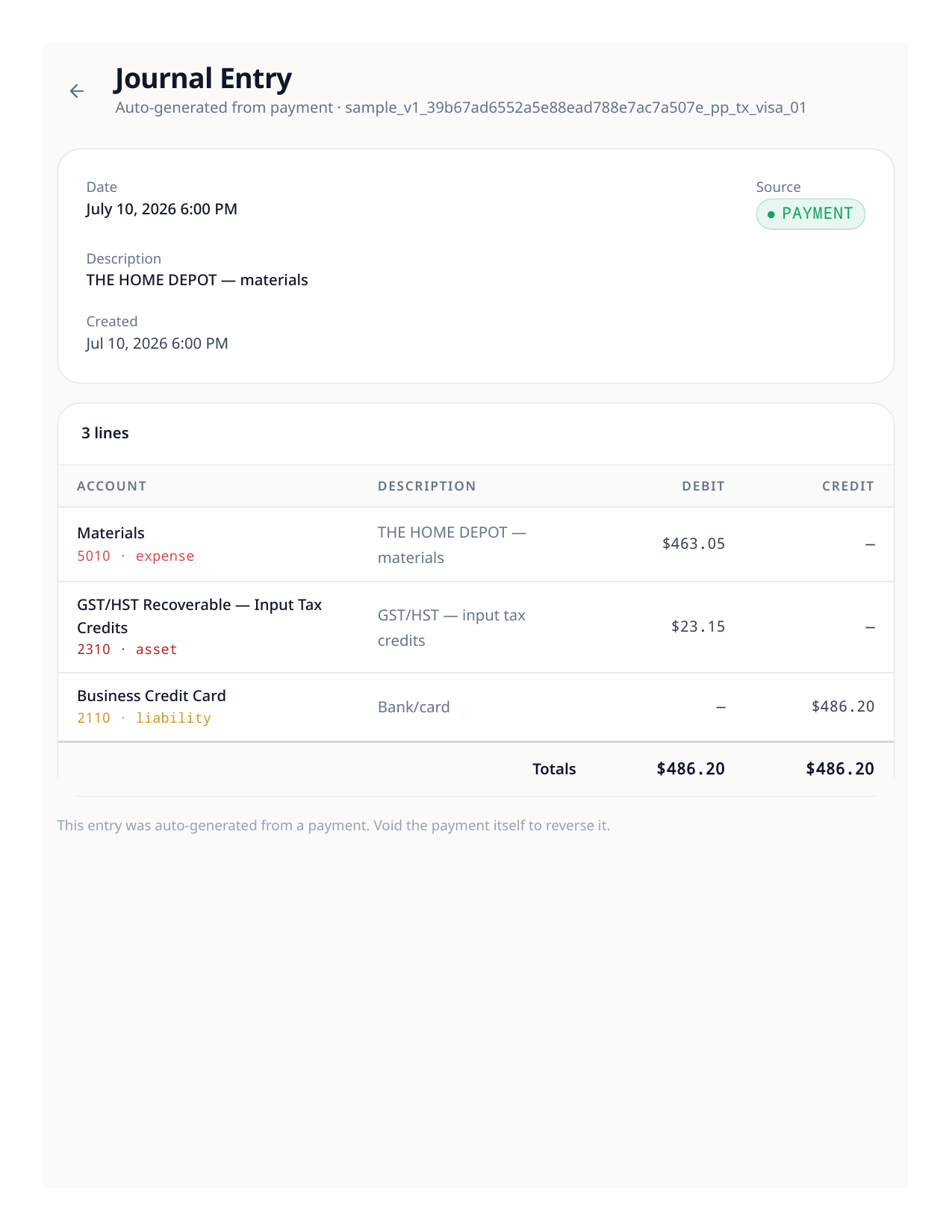
Posting a $486.20 materials purchase on the Visa creates one balanced journal entry: debit Materials $463.05, debit GST input tax credits $23.15, credit the Visa account $486.20. The bank row and the journal stay linked, so you can always walk from a report back to the row — and to the receipt attached to it.
Good to know
- Made a mistake? Void the journal entry rather than editing the row — the audit trail keeps both.
- Rules learn from what you post: a merchant you categorize the same way three times is a good candidate for an automatic rule.
Let rules carry the repeat work
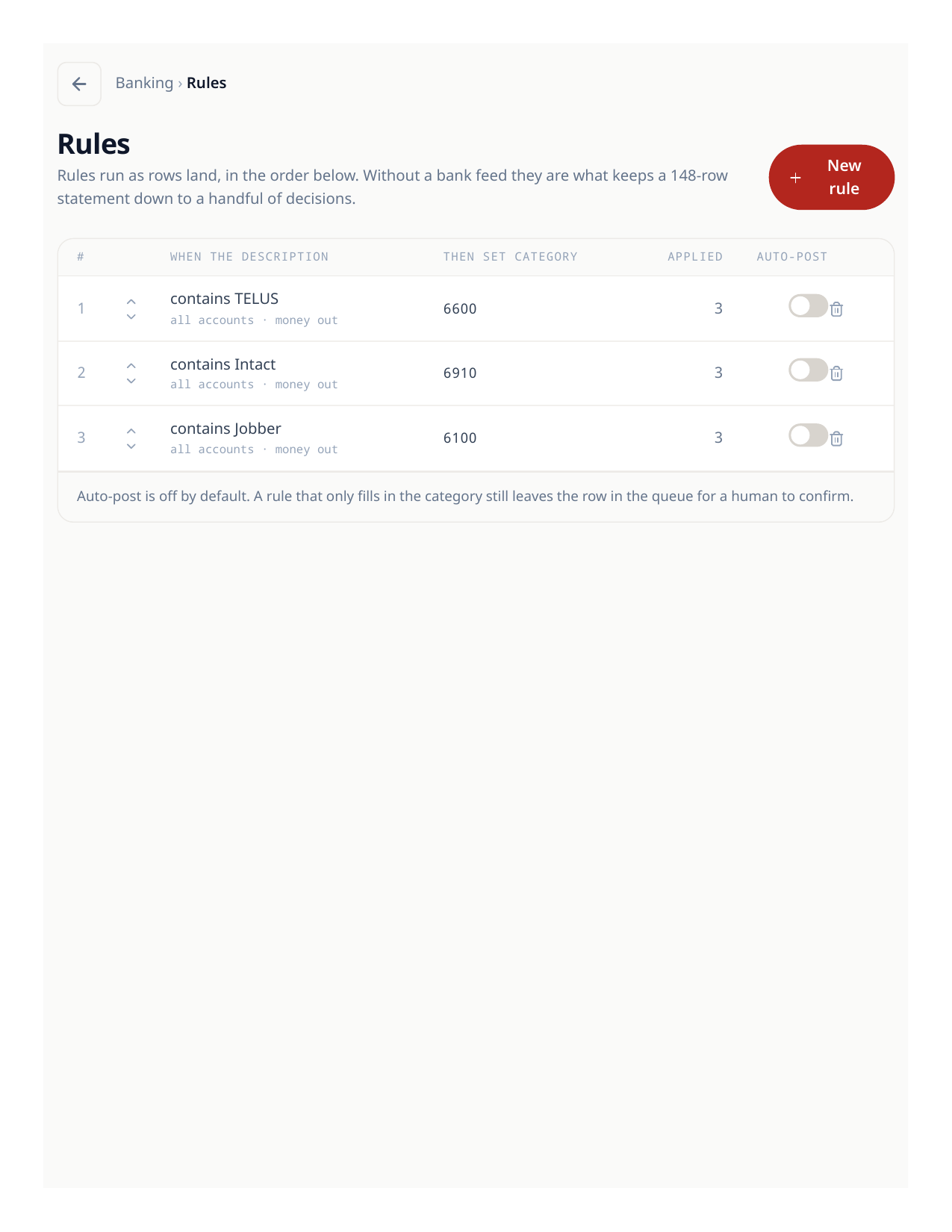
- 1Open Banking rules and create a rule from a merchant you see every month (Prairie Peak’s rules cover the TELUS phone bill, the Intact insurance premium, and the Jobber subscription).
- 2Set the category and tax treatment once. Matching imported rows arrive pre-categorized.
- 3Review rule-posted rows in batches — the rule proposes, you still post.
Try the workflow
Put your own books through the same steps
Start a LedgerPro trial, or open this workflow in your existing company. The guide stays available as a public reference either way.