LedgerPro guide · Prairie Peak example
How payroll sync posts one journal for every pay run
Payroll should not be retyped into the accounting system. This guide shows the granular journal Nexvar Pay sends to LedgerPro, how duplicate sync is prevented, and how employee payments and CRA remittances clear the liabilities.
The connection
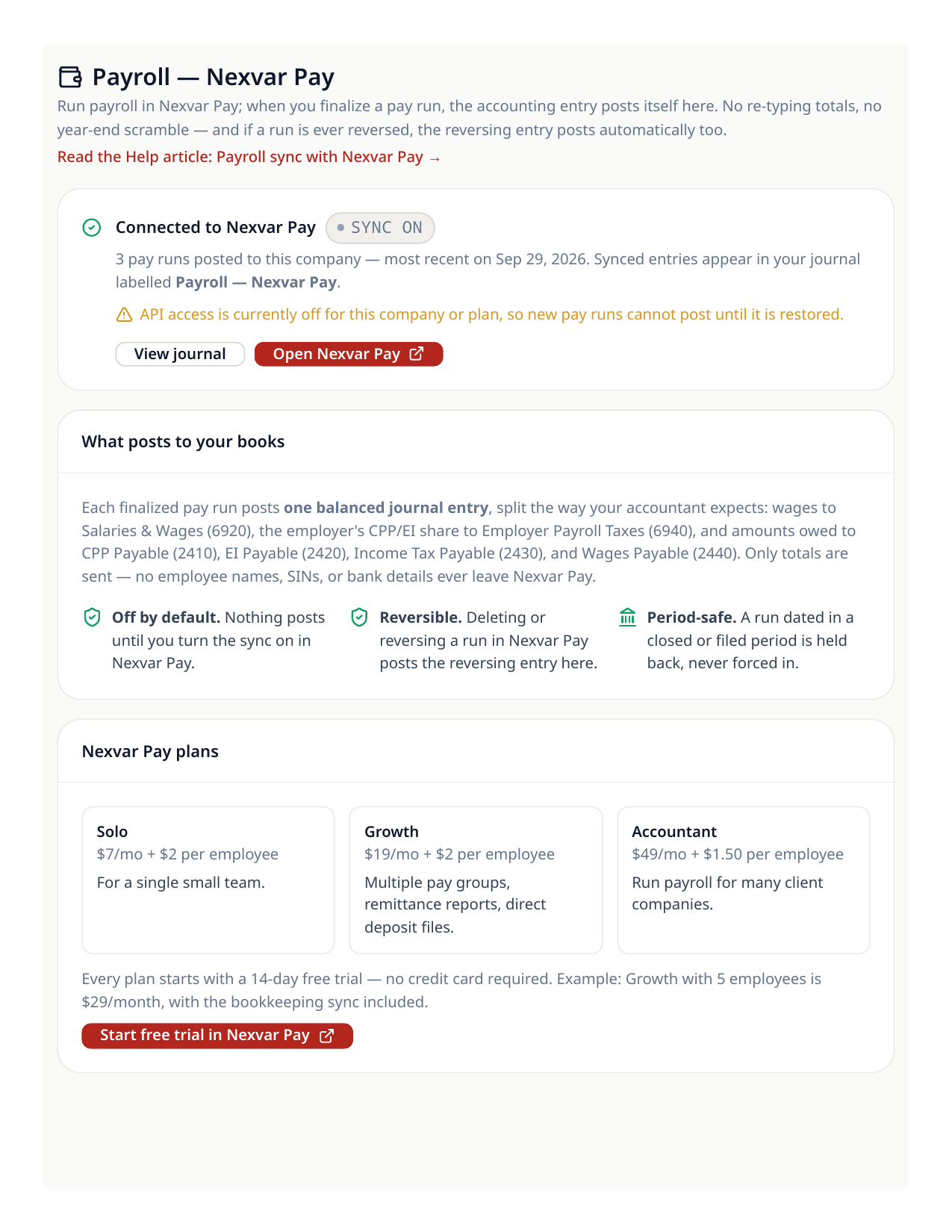
Nexvar Pay runs payroll; LedgerPro keeps the books. They connect with a per-company API key that can read the chart and post journals — nothing else. Prairie Peak’s connection uses the detailed mapping, so each part of a pay run lands in its own account instead of one lump sum.
- 1In LedgerPro, open Payroll to see the connection state and the account mapping.
- 2In Nexvar Pay, connect the same company and confirm the test connection finds your chart of accounts.
- 3Choose the detailed (granular) mapping: wages, employer taxes, and each deduction get their own accounts.
One pay run, one journal
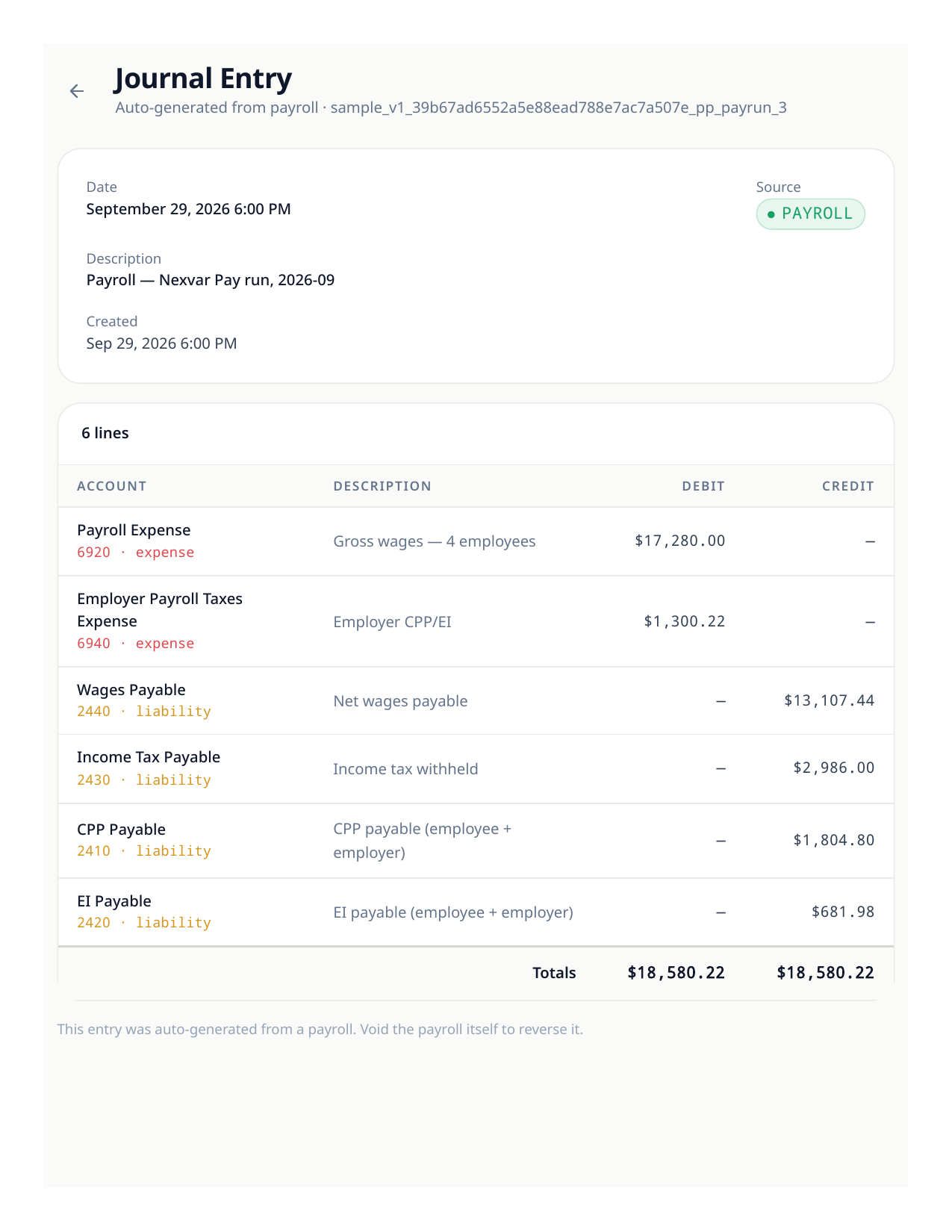
When a pay run is finalized in Nexvar Pay, exactly one journal arrives in LedgerPro, marked as payroll from Nexvar Pay. A Prairie Peak monthly run posts: debit Wages $17,280.00 and Employer Payroll Taxes $1,300.22; credit CPP payable $1,804.80, EI payable $681.98, income tax payable $2,986.00, and wages payable $13,107.44 (the net pay). Syncing the same run twice cannot duplicate it — each run carries its own idempotency key.
Good to know
- Employer payroll taxes post to 6940 Employer Payroll Taxes Expense — keep it separate from 6920 Wages so your T4 summary and your P&L both read cleanly.
- Voiding a run in Nexvar Pay posts a reversing journal with its own key; the original stays in the audit trail.
Paying the crew and CRA
- 1The net-pay amount (wages payable) clears when the bank pays the employees — Prairie Peak’s register shows one net-wage payment per run.
- 2CRA remittances are ordinary bank rows: Prairie Peak remitted $5,472.78 on August 15 and again on September 15, clearing the CPP, EI, and tax liabilities for the prior runs.
- 3At any date, the three payroll liability accounts tell you exactly what the next remittance must be.
Try the workflow
Put your own books through the same steps
Start a LedgerPro trial, or open this workflow in your existing company. The guide stays available as a public reference either way.